Incident Angles & The Importance of Shaping Your Subject

In this post I’ll outline some simple, but powerful tricks to help advance your imagery and although they’re samples from product shoots - they will translate to anything else. Portrait, automotive, interiors, etc.

Now let’s lay the foundation… lighting is complex, but once you understand the elements it becomes quite simple. Whether you’re photographing people, products, interiors, cars…. it all applies.

Angle of incidence is a principle that most amateurs, budding photographers, or even some professionals may not grasp yet. My goal is to explain it in a simple way for you to implement into your shoots moving forward.

You can almost think of your subject as a mirror - and a fun trick is to place a small mirror in front of your subject (best used for product) and if you’re seeing the light in the mirror’s reflection from your camera then you will end up with a glare on your subject… especially if it’s a shiny or metallic surface.

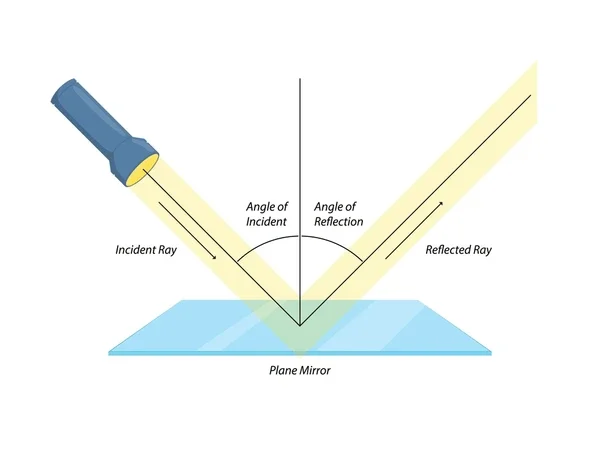
In photography, angle of incidence refers to the direction and angle at which light hits a subject, and it’s most often discussed when talking about lighting, reflections, and surface texture.

A simple rule to remember:

Angle of incidence = angle of reflection

Meaning: If light hits a surface at a certain angle, it will bounce off at the same angle in the opposite direction.

So what does this really mean and why is it important for photographers?

1. Controlling Reflections

This is huge for product, food, and commercial photography.

  • If a light source hits a shiny surface (glass, metal, packaging) at a shallow angle, the reflection will bounce directly toward the camera.

  • If you move the light higher, lower, or sideways, you change the angle of incidence and therefore where the reflection goes.

That’s why moving a light just a few inches can make glare disappear.

2. Shaping Texture and Creating Depth

The angle at which light hits a surface affects how texture appears:

  • Low angle of incidence (side light) → emphasizes texture, wrinkles, details

  • High angle of incidence (front/top light) → flattens texture, smoother look

This is why side lighting is used for:

  • Food

  • Fabric

  • Packaging embossing

  • Architectural details

3. Specular vs Diffuse Highlights

  • Specular surfaces (glass, plastic, polished metal): reflections are very predictable based on angle of incidence.

  • Diffuse surfaces (paper, skin, matte packaging): light scatters more, so the angle matters less but still affects contrast and mood.

Simple real-world example

If you’re photographing a glass bottle:

  • Light directly in front → reflection bounces straight back into camera (harsh glare)

  • Light moved to the side → reflection bounces away from camera (clean label)

  • Camera placed where the reflection lands → intentional highlight or “hero” spec

Why it matters (especially for your work)

For high-end commercial/product imagery, mastering angle of incidence lets you:

  • Eliminate unwanted glare

  • Place highlights exactly where you want them

  • Control mood, contrast, and perceived quality

  • Make reflective products look premium instead of cheap

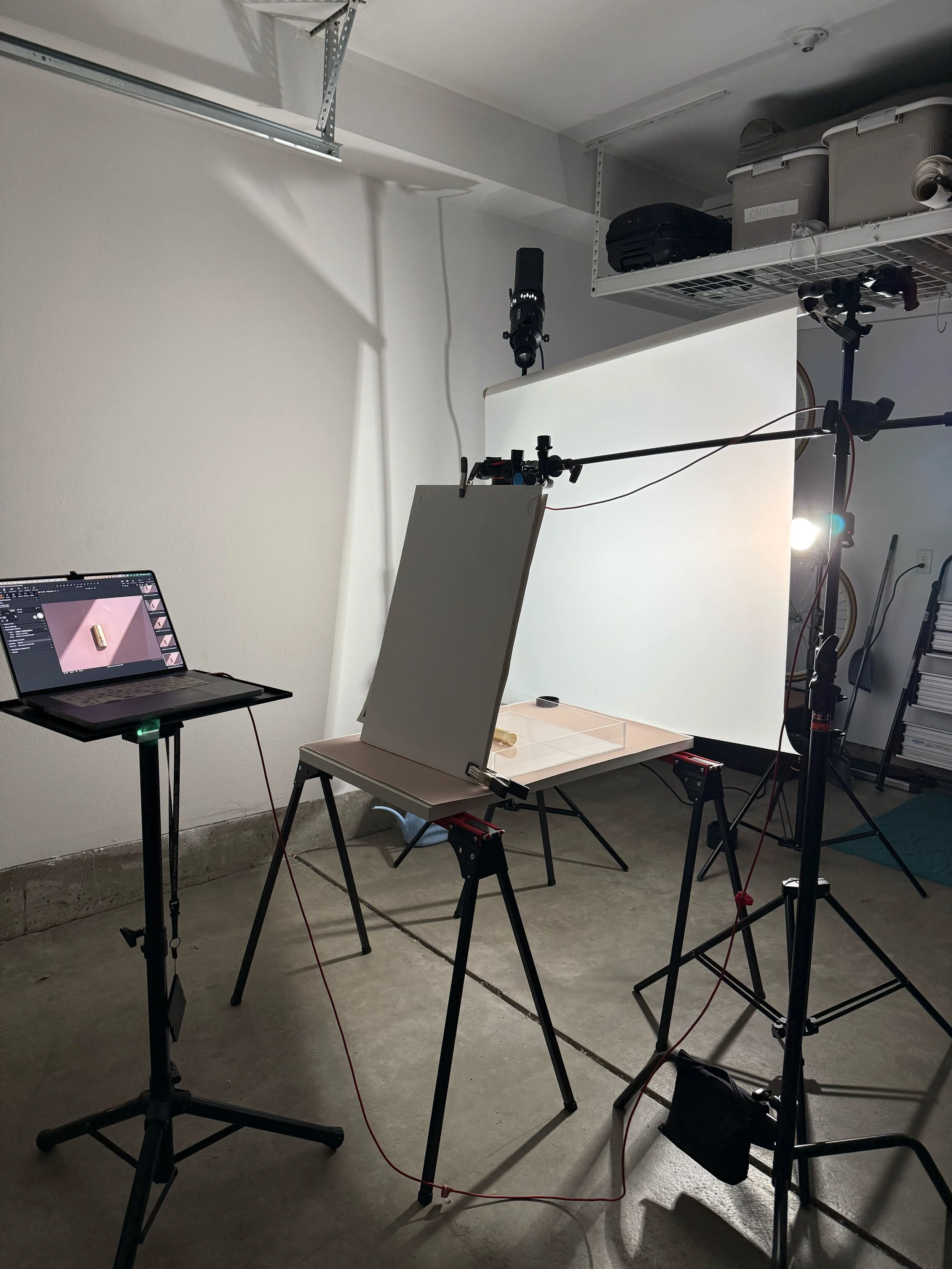
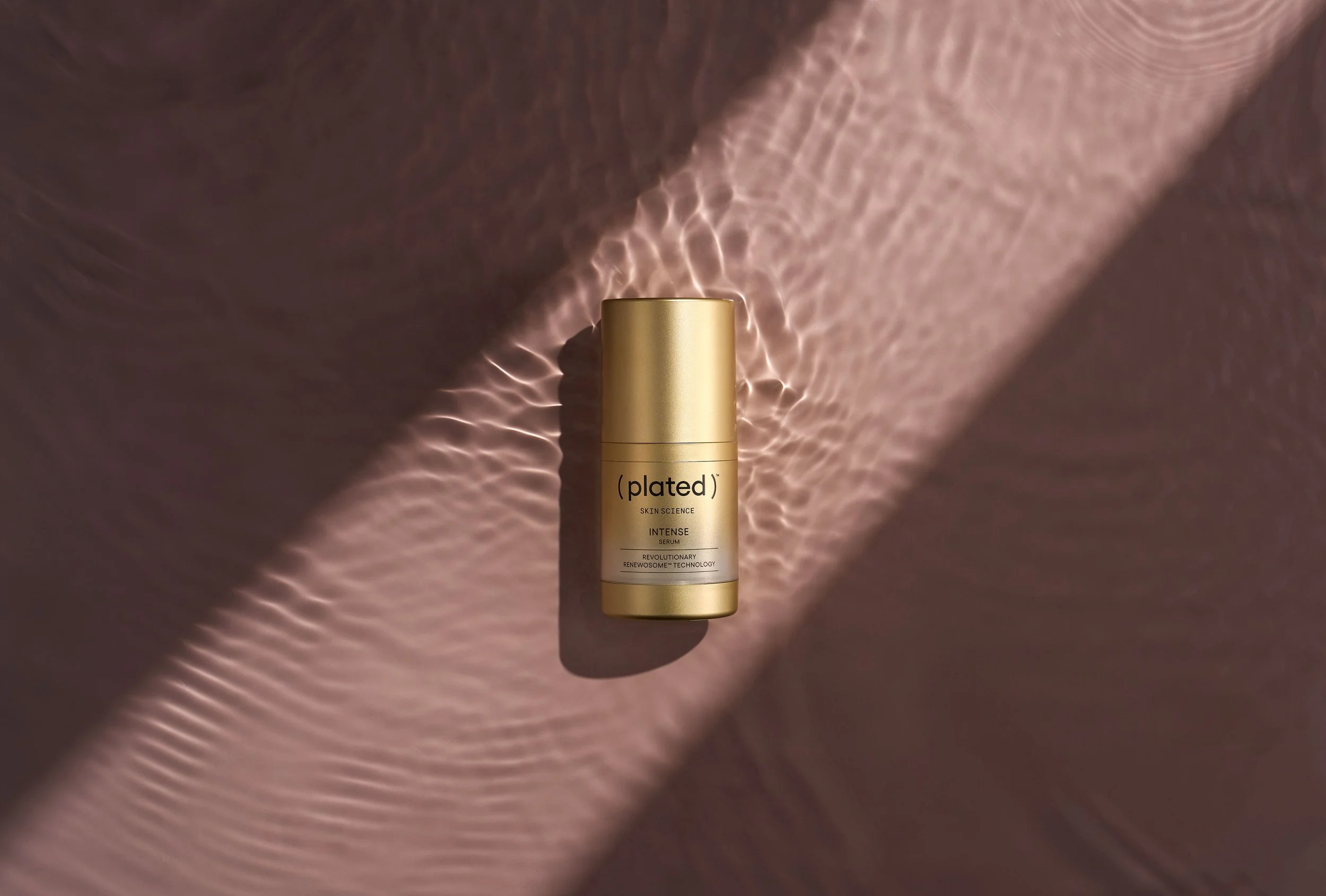
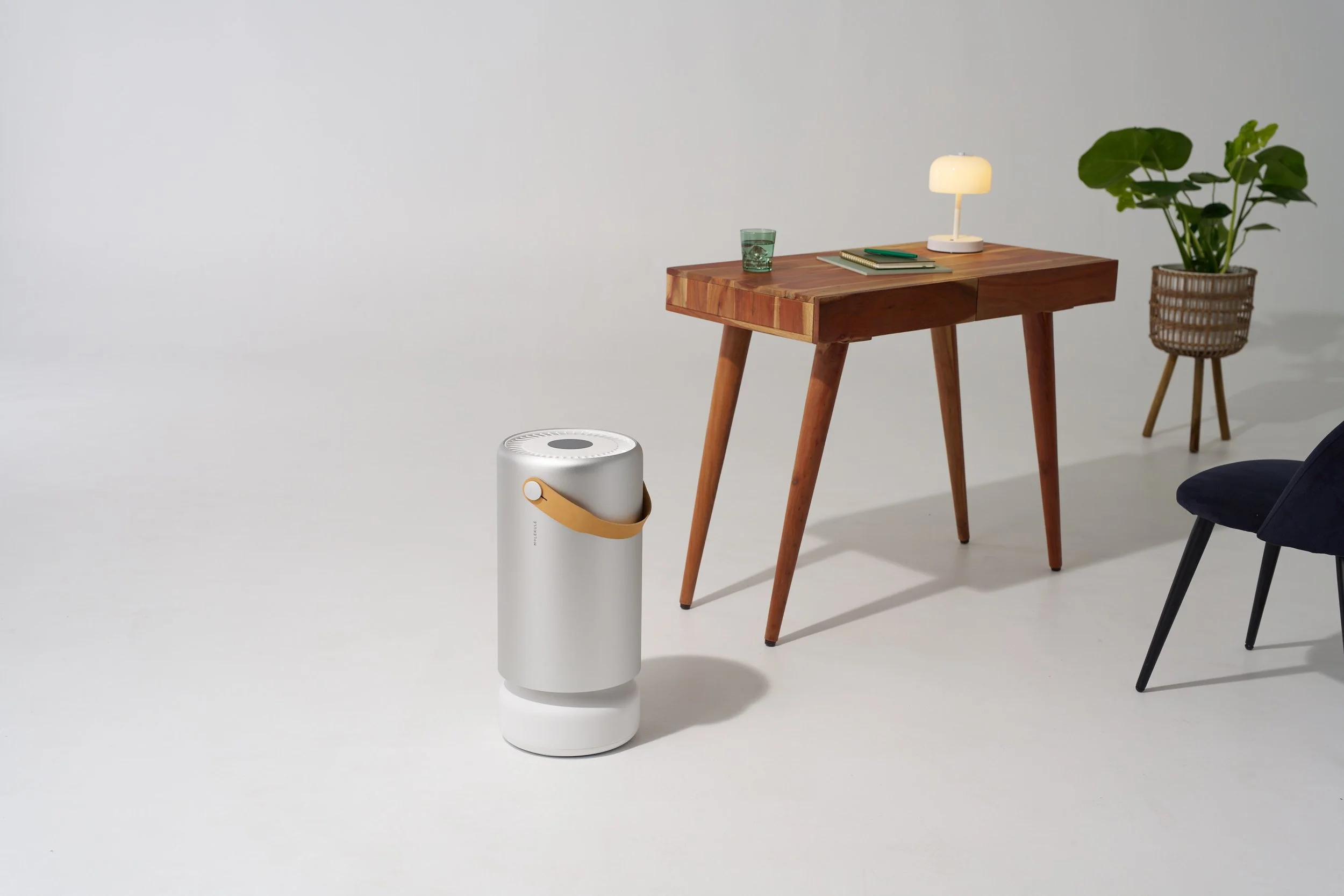
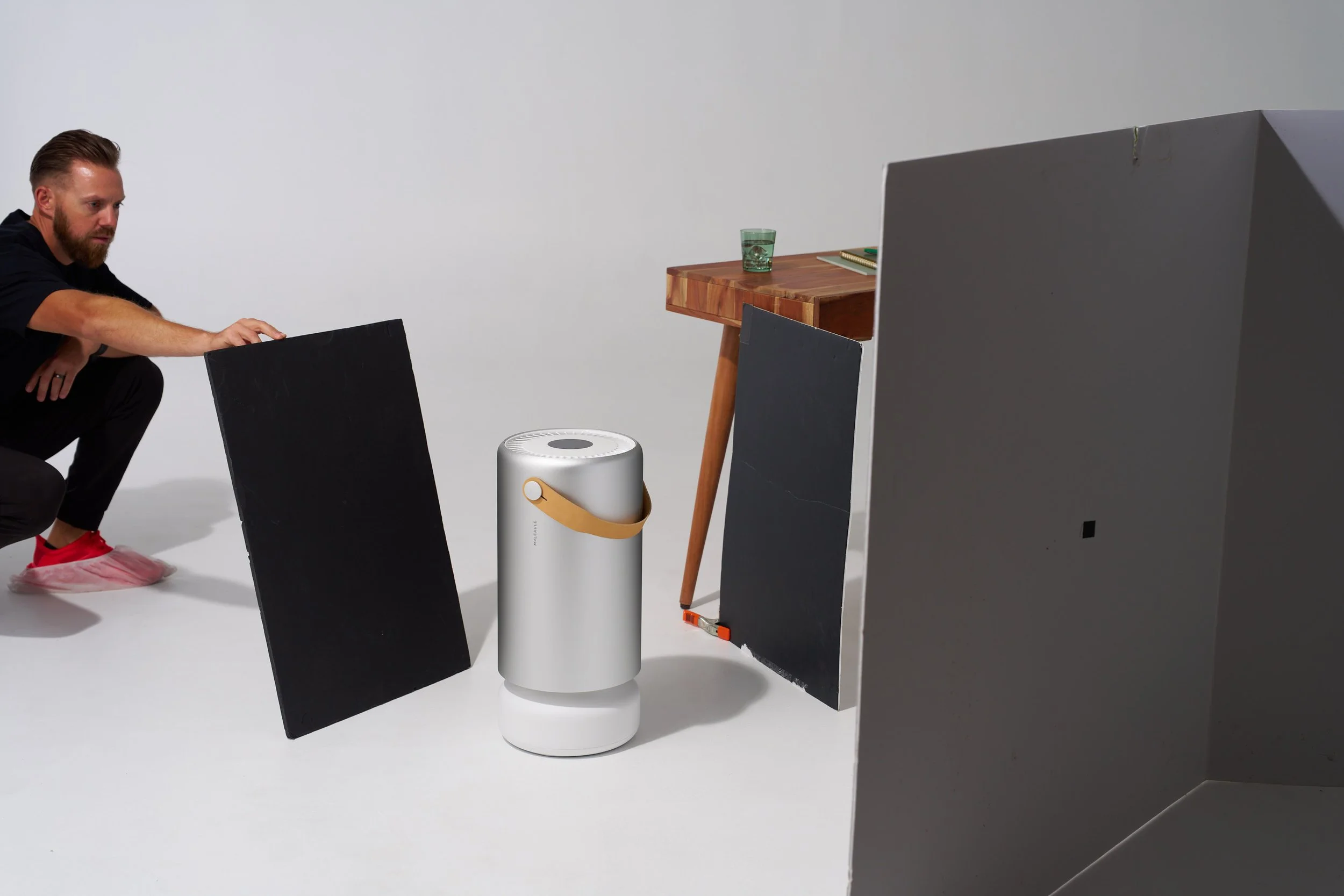
As shown in my example here, the light on the product looks good, however, since we are shooting in a white studio - the white is reflecting back into the subject, giving it a flatter look and lacking contrast. This indeed is incident angle - but it refers to the environment that your subject is in (especially with this product having a reflective surface).

In this frame, I’m adding in black cards to better shape the product and adding contrast back into it. This helps make the product “pop” and really stand out in the scene. Client LOVED this!

Since I’m shooting on a camera stand (a really beefy tripod) - I can easily paint in the black sides on the product.

Hopefully you found some key takeaways from this post and can implement them into your next shoot!

Product Lighting Breakdown

Lighting Breakdown: How to Create Clean, Dynamic Product Images

Ever wondered how those crisp, polished product images come to life? Maybe you’ve set up your lights and dialed in your settings, but something still feels off — the reflections aren’t right, the highlights are harsh, or the image just lacks that punch you saw online.

Let’s fix that.

In this lighting breakdown, I’ll walk you through a step-by-step setup that creates a dynamic, yet repeatable look you can use across a wide range of product shoots. It’s all about understanding how light behaves — and how to shape it intentionally.

The Setup: Two Lights, Two Purposes

I’m using two lights here, each with a distinct role.

Key Light: My main light source is a Godox AD600 Pro modified with a 7-inch silver reflector. This is a relatively small modifier, which creates a more focused, specular highlight. The silver lining inside the reflector boosts contrast and adds a punchy, hard quality to the light — perfect if you’re aiming for a bold, high-impact look. If you’re going for texture and want to emphasize the shape and sheen of your product, this modifier does a great job.

AD600pro on 1/8 +.5 power

Fill Light:For the fill, I’m using another AD600 fitted with a strip box, which is then shot through a 4x4’ diffusion panel. The strip box itself includes both an internal and external white baffle, helping to soften and spread the light evenly. That extra layer of 4x4 diffusion gives the light a silky wrap and helps eliminate any distracting harsh reflections — especially important if you’re photographing reflective or glossy surfaces. It also introduces a beautiful, clean edge to your highlights without overpowering your key.

AD600pro on 1/16 power

Final Thoughts:
I thought by adding in each frame, you can clearly see the properties of what each type of light is producing. The key/specular light provides direction, contrast and texture. It helps highlight the water beaded up on the can and provides a “fresh” feel. The fill/diffused light helps showcase texture in a different way. It shows the metallic property of the can, and without a large diffused source, you’ll miss that key feature.

The key to building compelling product imagery is consistency — not just in lighting, but in how you think about shaping light. By understanding how hard and soft light interact, and where to place your modifiers for the most flattering result, you can turn a simple product into something scroll-stopping.

Here’s the finished, fully retouched image.

Sony A7RV + Sony 28-70mm ƒ/2 GM shot @ 70mm

1/640 - ƒ/5.6 - ISO 200

Have questions or want to see a visual breakdown? Drop a comment or shoot me a message — I’m always happy to help fellow creatives level up.